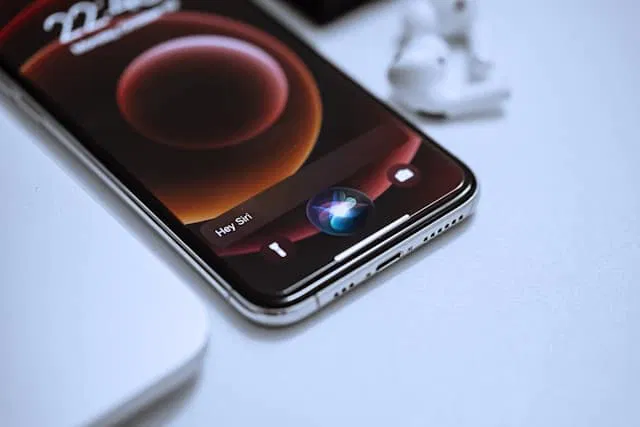
The Hidden Purpose of the Small Hole in Your Smartphone
Most people use their smartphones every day without thinking much about the tiny details in the device's design. One small feature that often goes unnoticed is the tiny hole usually found near the bottom or along the edge of many smartphones. Although it may look insignificant, this small opening actually serves an important purpose.
A Secondary Microphone for Clearer Calls
The small hole is typically a secondary microphone. Its main function is to help reduce background noise during phone calls. While the primary microphone captures your voice when you speak, the secondary microphone listens to the surrounding sounds in your environment.
Your phone's system then compares the audio from both microphones. By identifying which sounds are likely background noise, such as traffic, wind, or nearby conversations, the device can reduce those noises and focus on your voice. This process helps make your calls clearer for the person on the other end.
How Noise Reduction Improves Communication
When both microphones work together, they create what is known as a noise-reduction system. This technology allows smartphones to filter out unwanted sounds while enhancing speech. For example, if you are making a call in a busy street or a crowded room, the phone can minimize much of that background noise. As a result, your voice becomes easier to understand, improving the overall call quality.
The technique is called beamforming or noise cancellation, depending on implementation. In essence, the phone creates an audio "beam" pointed at your mouth. Sounds arriving from other directions, picked up more strongly by the secondary microphone, are treated as noise and suppressed. The person you are calling hears you, not the bus behind you.
More Than One Hole: The Full Microphone Array
Modern smartphones often have not just two but three or four microphones, each serving a purpose:
- The primary microphone, usually at the bottom edge near the charging port, captures your voice during calls.
- The secondary microphone, often on the top edge or back, samples ambient noise for cancellation.
- Additional microphones may support video recording (capturing stereo or spatial audio), voice assistants (listening for wake words), and speakerphone mode.
That tiny hole you noticed is one node in a sophisticated audio system. Flagship phones treat microphone placement as carefully as camera placement, because call quality remains one of the most complained-about aspects of phone ownership.
Other Small Holes You Might Notice
While you are inspecting your phone, you may spot other tiny openings. Each has a job:
- The SIM tray pinhole. A tiny hole on the side, used with an ejector tool to open the SIM tray. This one is mechanical, not acoustic.
- Speaker grilles. The rows of small holes at the bottom are the speaker output, separate from the microphone input.
- Barometer or sensor vents. Some phones have nearly invisible vents for the barometric pressure sensor, used for altitude detection.
- Laser autofocus windows. Near the camera module on some models, these assist focusing and are not microphones at all.
Knowing which hole is which matters mainly for one reason: never poke random objects into them. The SIM ejector hole is designed for a pin. The microphone holes are not. Inserting a pin into a microphone can damage it permanently.
Keeping Your Microphones Working
Microphone holes are small and prone to clogging with pocket lint, dust, and debris. A blocked microphone degrades call quality gradually, often without you realizing the cause. Maintenance is simple:
- Inspect periodically. Hold the phone up to light and check that the holes are clear.
- Clean gently. A soft, dry brush or a gentle puff of air dislodges most debris. Never use sharp metal objects.
- Avoid compressed air at close range. High-pressure blasts can damage the delicate microphone membrane.
- Check your case. Some poorly designed cases partially cover microphone holes, muffling your voice on every call.
If people consistently say you sound muffled or distant, a clogged secondary microphone is a common culprit, and it is one of the easiest phone problems to fix.
Why This Design Detail Matters
The secondary microphone is a good example of invisible engineering: a feature you never think about until it fails. Every clear call you have made from a noisy street, every voice message recorded in wind, every video with balanced audio, depended on tiny holes doing sophisticated work.
Smartphone design is full of such details: components measured in fractions of a millimeter, solving problems most users never knew existed. The next time someone compliments your phone's camera, remember the unsung hero near the charging port, listening to the noise so you do not have to.
The Evolution of Phone Audio
The secondary microphone did not appear by accident. It arrived as phones got thinner, environments got noisier, and expectations got higher. Early mobile phones had a single microphone and performed adequately in quiet rooms. But as people began taking calls on streets, in cars, and in crowded spaces, manufacturers needed a better solution.
The breakthrough was treating noise as data rather than as an unavoidable nuisance. Once engineers realized a second microphone could sample the environment independently, software could subtract the noise mathematically. Each generation since has refined the approach: more microphones, smarter algorithms, and machine learning models trained to distinguish voices from background chaos.
Today's best phones can isolate a whisper on a windy street. That capability traces directly back to the tiny hole most owners never notice. It is a reminder that progress in technology often happens not in the features companies advertise, but in the quiet engineering that makes everyday experiences simply work.
Frequently Asked Questions
What is the small hole in my smartphone for?
It is typically a secondary microphone used for noise reduction during calls. It samples background noise so the phone can filter it out and focus on your voice.
Can I poke a SIM ejector pin into it?
No. Only the SIM tray pinhole is designed for the ejector tool. Inserting pins into microphone holes can permanently damage them.
Why do people say I sound muffled on calls?
A clogged microphone hole is a common cause. Pocket lint and dust accumulate in the tiny openings. Gentle cleaning with a soft brush often resolves it.
How many microphones does a modern phone have?
Usually two to four. Beyond call noise reduction, additional microphones support video audio, voice assistants, and speakerphone performance.